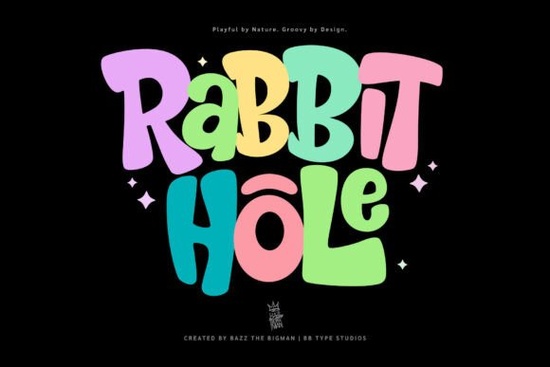
Finding a display font that feels genuinely playful without tipping into messy or amateurish territory can be surprisingly difficult. The Rabbit Hole Font manages to land right in that sweet spot. It has a bouncy, retro-inspired personality that reads as intentional and polished, yet it never loses the lighthearted charm that makes it so appealing for children's projects, bold branding, and print work that needs to stand out.
What makes Rabbit Hole different from standard cartoon fonts?
Many cartoon-style fonts lean heavily on exaggerated shapes that quickly feel dated or overused. Rabbit Hole takes a more restrained approach. Its letterforms have an organic, hand-drawn quality with a hearty weight that feels substantial on the page. There is a rhythmic bounce across the baseline letters don't sit stiffly in a row, they dance a little. But the proportions stay balanced enough that words remain easy to recognize at a glance.
The retro influence is clear without being a direct copy of any single era. You might catch hints of 1960s and 1970s children's book lettering or old-school cartoon title cards. That versatility means it works across posters, book covers, product packaging, and branded merchandise without locking your project into one specific vintage aesthetic. It suggests nostalgia rather than imitating it outright.
If you have tried Comic Pop for comic-style layouts, you will notice Rabbit Hole shares some of that upbeat energy but trades the panel-strip sharpness for a rounder, softer presence. The result feels warmer and more approachable ideal when you want attention-grabbing text that does not feel aggressive.
Which design projects truly benefit from a font like this?
Rabbit Hole shines brightest in projects where the type itself is part of the visual entertainment. Think of a children's book cover where the title needs to look like it belongs inside the story world. Or a birthday party invitation where the font sets the mood before anyone reads a single detail.
Print-on-demand sellers will find this font especially useful for t-shirt graphics, tote bag designs, and sticker sheets. The bold weight holds up well on fabric and small merch items where thinner fonts can disappear. Crafters making sublimation tumblers, greeting cards, or scrapbook titles will appreciate how the letters stay legible even when scaled up for die-cutting or foil application.
Small business owners developing a brand around toys, baked goods, children's clothing, or family-oriented services can use Rabbit Hole for logos and window signage. It communicates friendliness instantly, which is valuable when your storefront or website has only a few seconds to make an impression. For packaging designers, the font works beautifully on cereal boxes, candy wrappers, and novelty product labels where shelf appeal matters most.
Designers who frequently work with Crayons-style handwritten fonts for classroom materials might find Rabbit Hole a welcome alternative it keeps the playful classroom energy but offers a cleaner, more structured look that prints better at larger sizes.
How readable is Rabbit Hole across different sizes and mediums?
Like most display fonts, Rabbit Hole performs best at larger point sizes headlines, titles, and short phrases are where it excels. The organic shapes and slight irregularity that give it personality become harder to parse in long paragraphs of body text. For a picture book, you might set the main title in Rabbit Hole and pair it with a simple sans-serif for the story text.
On screen, the font holds up well in social media graphics, YouTube thumbnails, and website hero banners. The thick strokes prevent thin sections from disappearing on lower-resolution displays. In print, test it on your chosen paper stock the bold letterforms can handle slightly textured or uncoated papers without losing clarity, which is helpful for eco-friendly packaging or craft paper projects.
For embroidery, vinyl cutting, and heat transfer applications, the font's sturdy structure is a practical advantage. Letters with very thin connections or delicate serifs often cause problems during weeding or stitching, but Rabbit Hole's consistent weight avoids those headaches. Sellers who have worked with collections geared toward athletic and team merchandise will recognize how much easier a bold, blocky font is to produce across different print-on-demand methods.
What typefaces pair well with Rabbit Hole?
Pairing a display font can make or break a layout. Rabbit Hole carries enough visual weight that it needs a supporting typeface that stays out of the way. A clean, neutral sans-serif something like a geometric or humanist style works reliably for body copy and secondary labels. The contrast between Rabbit Hole's playful curves and a straightforward sans-serif creates balance without competition.
If your project leans further into the retro direction, consider pairing Rabbit Hole with a simple serif that has mid-century roots. The combination can evoke vintage shop signage or classic children's literature without feeling like a costume. Avoid overly decorative companion fonts two strong display faces together tend to fight for attention and tire the reader's eye.
For designers exploring the wider world of playful display type, options like Wiggle Whistle offer a lighter, more whimsical take, while other bouncy script-inspired choices bring a different kind of movement to the page. Meanwhile, Vintage Varsity appeals if your project needs a letterman-jacket or collegiate retro feel a different direction from Rabbit Hole's cartoon warmth but equally bold.
What file formats and rights come with Rabbit Hole?
Through Creative Fabrica, Rabbit Hole typically comes with OTF and TTF file formats, which cover the vast majority of design software including Adobe Illustrator, Photoshop, Procreate, Cricut Design Space, Silhouette Studio, and Canva. Standard licenses generally cover personal and commercial use, including print-on-demand sales, though it is always wise to check the specific license terms for your intended application especially if you plan to use the font in a logo that will be trademarked.
Some designers prefer fonts that include alternate glyphs or ligatures for more customized letter combinations. While Rabbit Hole keeps things straightforward, its natural variation across letterforms already provides enough character that most projects will not need extensive glyph swapping.
If you enjoy mixing display fonts across a single collection or product line, you might also explore Super Sport for sports-themed designs or browse fonts that lean into a comic-strip aesthetic for sequential art projects. Each brings its own flavor, and having a small library of reliable display fonts makes it easier to match the right voice to each project. For purely child-focused crafts, hand-drawn styles that mimic crayon textures offer yet another creative avenue.
Is Rabbit Hole worth adding to your font collection?
If your work regularly involves children's products, playful branding, retro-themed designs, or eye-catching merchandise, Rabbit Hole earns its place in your toolkit. It fills a specific role bold, friendly, and full of movement without the gimmicky feel that limits many novelty fonts to a single use. The fact that it reads clearly at a distance and holds up across print and digital mediums makes it practical, not just decorative.
Designers who keep a curated font library tend to reach for typefaces that solve a problem reliably. Rabbit Hole solves the problem of "I need something fun that still looks professional." That is a harder brief than it sounds, and this font delivers on it consistently.
Quick checklist before you download:
- Decide whether your project needs a primary display face or a supporting accent font Rabbit Hole works best as the star.
- Check your software supports OTF or TTF files (most do, but confirm if you use browser-based tools).
- Review the commercial license terms if you sell physical products or digital designs that include the font.
- Grab a neutral sans-serif pairing from your existing library for body copy before starting your layout.
- Test the font at actual output size on your target material screen, paper, or fabric before finalizing.
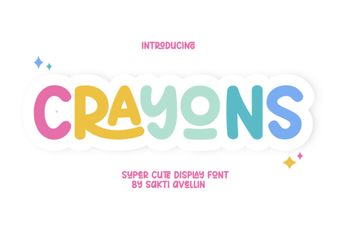 Creative Designs & Fun Projects with Crayons Font
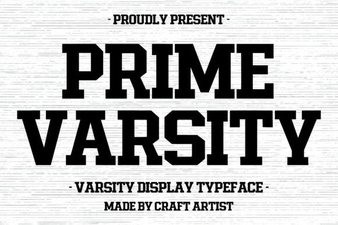 Prime Varsity Font: Elevate Your Sports Branding
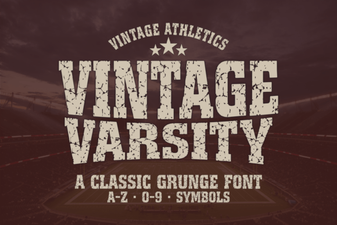 Vintage Varsity Font Ideas for Retro Designs
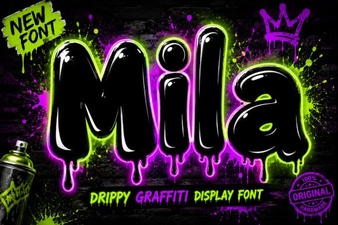 Mila Font: Versatile Typeface for Modern Designs
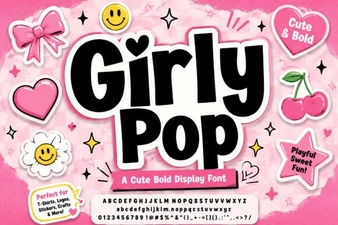 Girly Pop Font: Bubbly Typography for Cute Creations
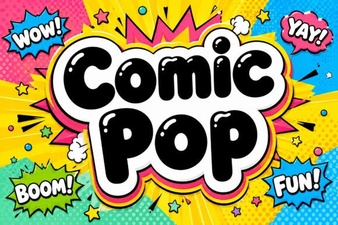 Comic Pop Font: Creative Design Ideas & Inspiration