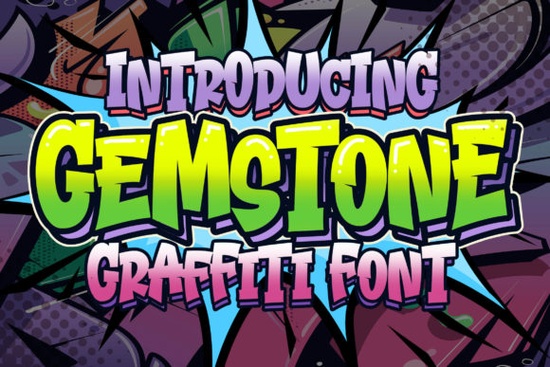
What kind of font is this exactly?
Gemstone Font is an outlined display typeface with a casual, downtown feel. The letters have a hollow, geometric construction that reads clearly at large sizes. Think of it as a modern take on the chunky graffiti styles you’d see sprayed on a wall, but cleaned up and digitized so it stays sharp in any design tool. Because it’s outlined, the font lets you layer colors, use knockout effects, or place it directly over photos without losing legibility.
Who should grab this font?
This face appeals to a wide range of creative people:
- Designers working on apparel graphics, merchandise, or streetwear branding.
- Print-on-demand sellers who need display fonts that pop on t-shirts, mugs, and tote bags.
- Small business owners creating eye-catching social media posts, sale banners, or shop signage.
- Crafters using Cricut or Silhouette machines the outline style cuts beautifully and saves material because you only cut the edge.
- Content creators wanting thumbnails or video overlays that grab attention without being too loud.
Where does an outlined urban font really shine?
This style of display font works best in contexts where you need high contrast and immediate visual impact. I’ve seen it used effectively on:
- Hoodie and t-shirt designs the outline can be printed in a single color or paired with a fill layer behind it.
- Poster and flyer layouts especially for music events, pop-ups, or street art shows.
- Logo concepts the hollow letters give a modern, tech-forward vibe when paired with a solid background.
- Social media templates the font stands out even when scaled down on mobile screens.
- DIY party decorations and stickers cut it out of adhesive vinyl and you get a neat, outlined word without weeding out the insides of letters.
Is it easy to read at smaller sizes?
Honestly, no font with an outline-only structure is meant for body copy. Gemstone Font is a display typeface, so it performs best above 24pt. At tiny sizes (like on a business card), the thin lines can start blending together. Stick to using it for headlines, short quotes, or a single word you want to emphasize. If you need a companion for paragraph text, pair it with a simple sans-serif like Montserrat or Open Sans the contrast between heavy outline and clean minimalism works nicely.
How does it compare to other display fonts?
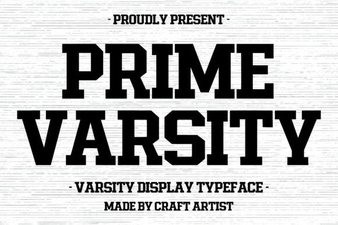
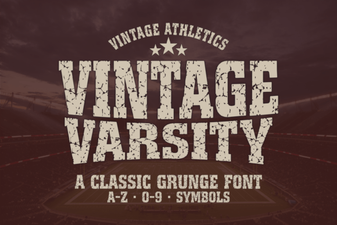
While Gemstone Font leans into the streetwear and graffiti pocket, it’s not the only display option that can give a bold, personality-driven feel. For a retro sporty direction, you might prefer the letterman jacket style that brings old-school varsity energy. If you’re after something more whimsical, a hand-drawn wobbly font could match a kids’ brand or playful packaging.
On the other end, a crayon-textured display font adds a handmade, childish charm perfect for classroom decor or craft projects. For sports and esports aesthetics, the wide range of athletic script options in a bundle may cover more ground. And if you like the slightly quirky, storybook vibe, a rabbit-inspired lettering style can give your project a fairy-tale twist.
Gemstone Font holds its own among these by keeping a clean, readable outline while still feeling rough and urban. It doesn’t try to be cutesy or exaggerated it’s direct, and that clarity makes it versatile.
Can you use it in Cricut and other cutting machines?
Definitely. The outlined structure is a huge plus for crafters. When you load it into Cricut Design Space or Silhouette Studio, the font will cut only the outer and inner edges of each letter. That means you get the full letter shape without solid fill, which uses less vinyl and can look very polished on glass, wood, or fabric. Just make sure to weld the text and check for any tiny gaps in the outline preview before you send it to the machine.
What file formats are included, and how do you install it?
Fonts from Creative Fabrica typically come as .OTF and .TTF files, so you can install them on Windows, Mac, or even an iPad. After downloading, just double-click the file and hit “Install.” In a few seconds, the font shows up in your design software’s list. I’ve used it in Adobe Illustrator, Canva Pro, and Affinity Designer without any hiccups the glyphs render cleanly and the spacing stays consistent.
A quick checklist before you buy
- Check your project type: Are you working on headlines, merch, or signage? This font is for display, not long text.
- Think about color contrast: Since it’s outline-only, pair it with a background that has enough contrast. A dark photo works best behind light lettering, or vice versa.
- Test with your mockup: Download the preview image and overlay it on your mockup to see if the scale and style match your vision.
- Plan your pairings: Pick a simple sans-serif for body copy. That way, the outline gets all the attention without fighting for it.
- Check license terms: Creative Fabrica fonts usually include commercial use, but always confirm if you’re doing print-on-demand or client work.
If you want a cool, straightforward outlined font that adds street flavor without extra noise, give the Gemstone Font a try in your next urban project. Play with the spacing, layer a solid color behind it, and see how quickly it transforms a plain layout into something that feels both modern and a little rebellious.
Download Now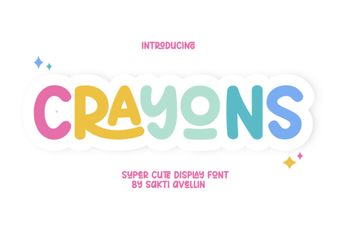 Creative Designs & Fun Projects with Crayons Font
 Prime Varsity Font: Elevate Your Sports Branding
 Vintage Varsity Font Ideas for Retro Designs
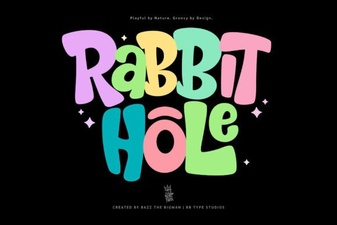 Rabbit Hole Font: Whimsical Typography for Creative Designs
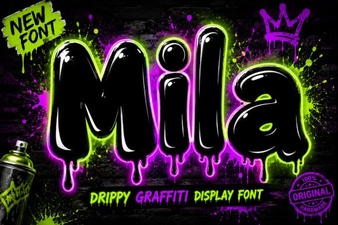 Mila Font: Versatile Typeface for Modern Designs
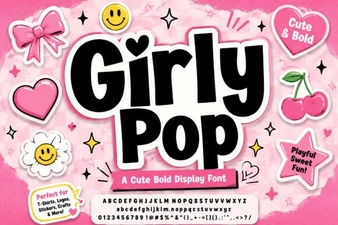 Girly Pop Font: Bubbly Typography for Cute Creations