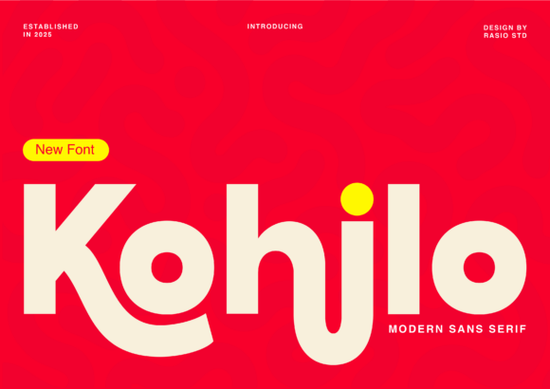
Finding a font that feels both professional and playful isn’t always easy, but Kohilo manages that balance effortlessly. This modern sans serif blends thick, confident strokes with exaggerated, almost liquid-like curves especially in letters like “h” and “j.” The result is a typeface that grabs attention without looking messy. If you create branding for creative tech startups, design toy or game packaging, or build bold social media headers, Kohilo slips right into those spaces. It’s a display-ready font that still feels clean enough for app interfaces and headlines.
Is Kohilo a Good Fit for Your Brand?
Designers and small business owners often need a typeface that shouts “modern” but stays approachable. Kohilo hits that sweet spot. Its thick weight and smooth curves give it a friendly, energetic personality not too corporate, not too childish. Think of brands that want to appear fresh and down-to-earth: a mobile app for creatives, a local gaming shop, or a snack brand aimed at teens. The font reads well at larger sizes, so it works best for logos, hero text, and short headlines rather than long paragraphs.
For anyone selling print-on-demand items, Kohilo adds instant personality to T-shirt designs, mugs, and tote bags. The bold letterforms hold up well on fabric and large prints. Crafters who make party invitations or digital planners will also love how it stands out on screens and paper.
What Type of Projects Work Best with Kohilo?
You can use Kohilo across many surfaces, but a few specific projects really let it shine:
- Creative tech branding – logos, app splash screens, and website headers for startups or SaaS tools.
- Toy and game packaging – box covers, card designs, and poster art that need a playful but sturdy letter style.
- Social media graphics – YouTube thumbnails, Instagram quote posts, and event banners where you want the text to jump off the screen.
- Modern app interfaces – bold navigation titles or onboarding screens where a friendly display face makes the experience feel less generic.
While a marker-style font like Summer Marker (see our comparison of marker fonts) gives you a handmade, scribbled look, Kohilo offers a more polished, digital-native appearance. That contrast makes it a stronger choice when you want a cohesive brand vibe rather than a casual, doodle-style finish.
How Does Kohilo Compare to Other Modern Sans Serifs?
In the crowded world of sans-serif fonts, Kohilo separates itself with its chunky weight and soft, water-like terminals. Many clean sans serifs like Cultivo (check our detailed review) stick to precise, geometric shapes. Kohilo deliberately breaks that mold. The “h” swoops with a graceful curve, and the “j” dips like a droplet. These details add warmth without sacrificing legibility.
If you need a softer, more whimsical option, Perfect Lemonade takes a script-like approach (you can see examples on the Perfect Lemonade page). But for solid, headline-grabbing text that still feels contemporary, Kohilo often wins.
Can You Pair Kohilo with Other Fonts?
Absolutely. Because Kohilo is so bold, it pairs beautifully with understated typefaces for body text. Try a simple, neutral sans or a light serif to let the display font do the heavy lifting. A clean geometric sans (like Cultivo) or an open, readable serif can create a balanced hierarchy on your website or packaging. Keep the supporting font thin or regular weight so the contrast feels intentional, not chaotic.
A good rule of thumb: use Kohilo for headings and logos, then set product descriptions, taglines, or paragraph text in a clear, straightforward typeface. This combo works especially well on landing pages and product labels.
Where to Download Kohilo and What About Licensing?
You can grab Kohilo right here on Creative Fabrica. The download usually includes standard desktop and web font licenses, but always double-check the specific terms if you plan to use it for large-scale commercial projects, like mass-produced merchandise or embedded app fonts. For most small business purposes crafts, social media, packaging, and client work the included license covers you comfortably.
Quick Checklist Before You Use Kohilo
- Test the font at the exact size you’ll use it larger is better for showing off those signature curves.
- Pair it with a simple, light-weight sans or serif for body copy to avoid visual overload.
- Use it primarily for short, punchy text: headers, logos, button labels, and packaging front panels.
- Confirm the license covers your project type (commercial use, embedding, or print-on-demand) before you finalize your design.
- Open a mockup file and try a few brand phrases to see how the “h” and “j” shapes enhance your message.
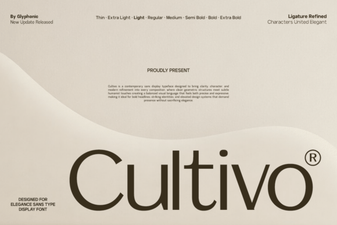 Cultivo Font: Elegant Typography for Creative Projects
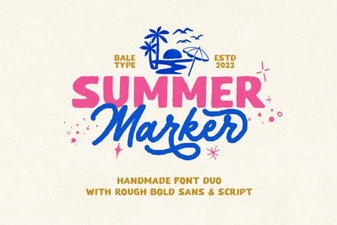 Summer Marker Font: Playful Designs & Project Ideas
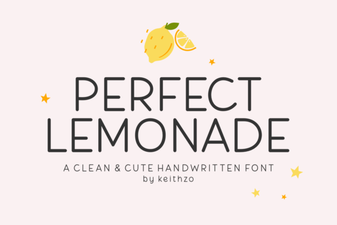 Perfect Lemonade Font: Fresh Designs for Summer
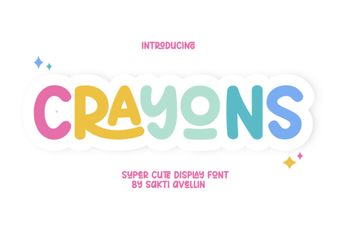 Creative Designs & Fun Projects with Crayons Font
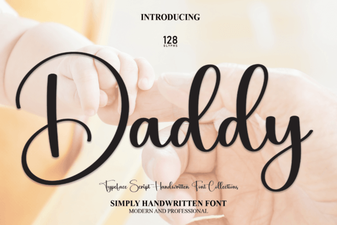 Daddy Font: Expressive Type for Bold Creative Projects
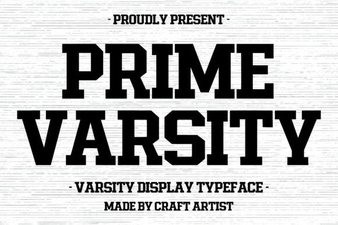 Prime Varsity Font: Elevate Your Sports Branding